Features Built for Real Restaurants

Two powerful systems. One mission: help your restaurant succeed.

A POS That Works the Way You Do

Designed from 18 years of restaurant experience. Every feature solves a real problem restaurant owners face every day.

Intuitive by Design

Zero Learning Curve. Just Open and Go.

Your staff can start taking orders from day one with zero training. The interface guides you through each step naturally.

  • Zero Learning Curve
    Every screen flows naturally — designed by someone with 18 years in restaurants. No training manuals, no confusion.
  • Natural Order Flow
    Select table, pick items, customise, confirm, send to kitchen. No menus within menus. Just the way you already work.
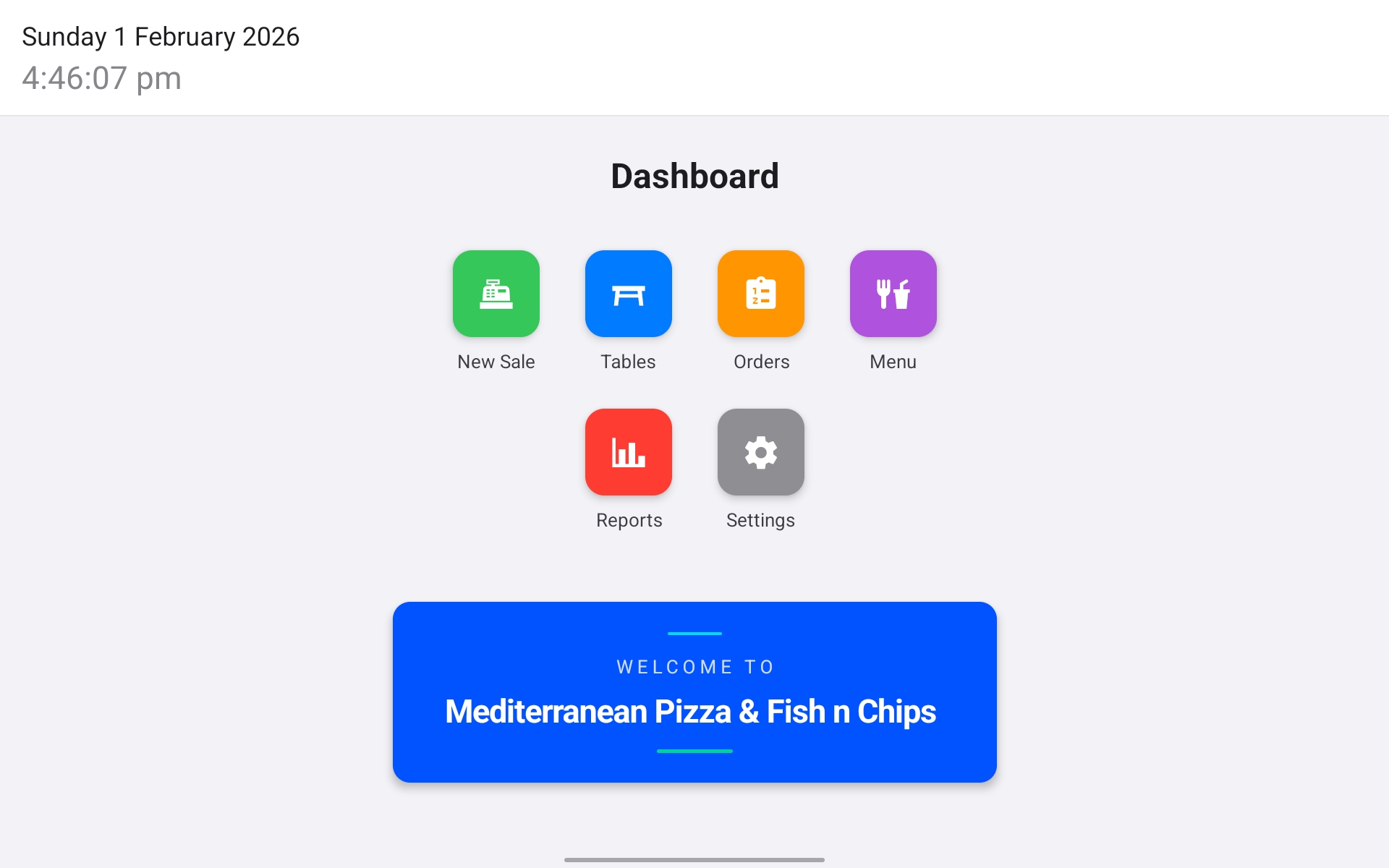
Swiple POS Dashboard — clean and simple interface with New Sale, Tables, Orders, Menu, Reports, and Settings
Floor Control

Visual Table Management at a Glance

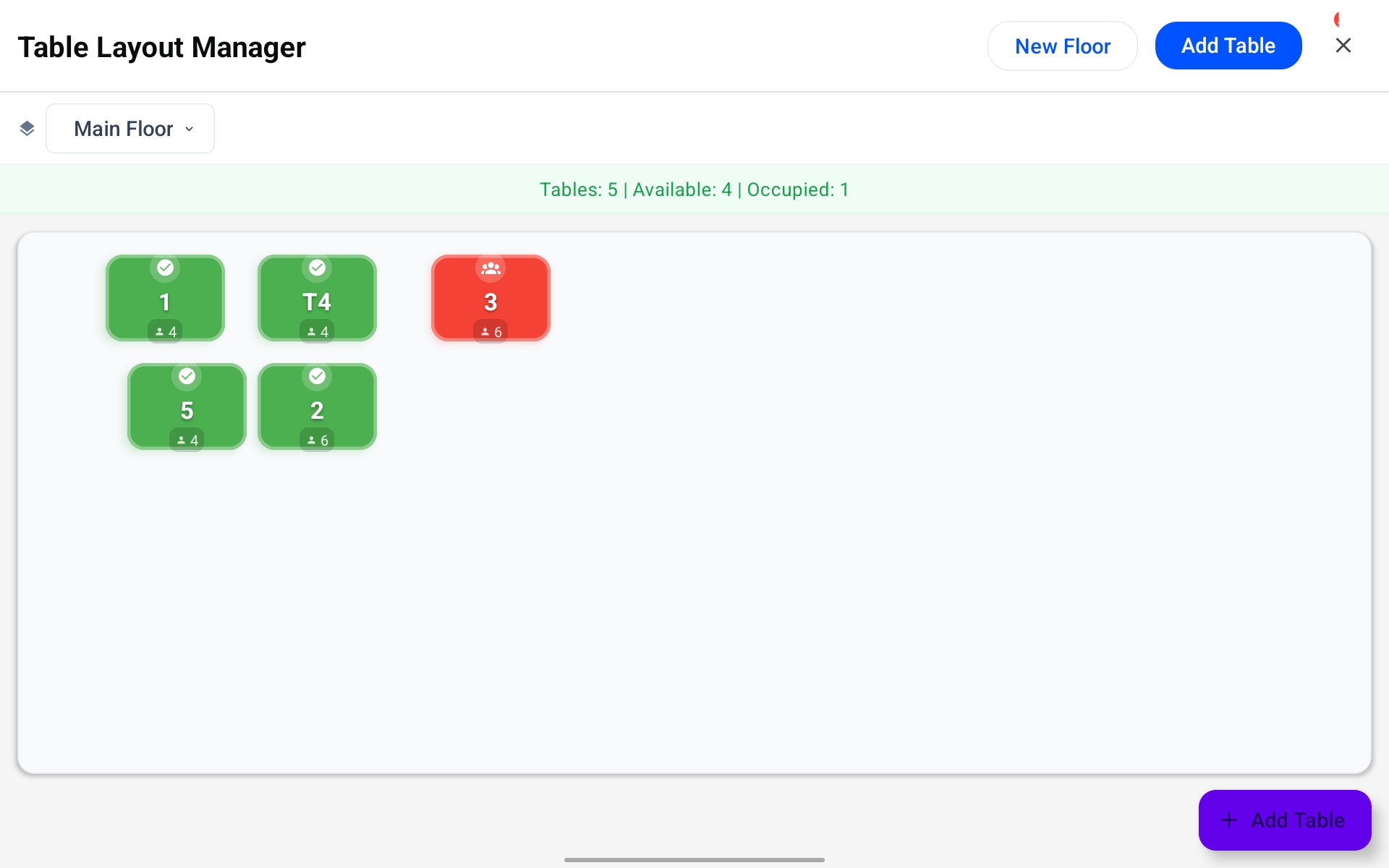
See your entire floor in real time. Green means available, red means occupied. No guessing, no miscommunication.

  • Visual Table Layout
    See which tables are occupied, waiting, or ready to clear. Manage multiple floors and assign orders to tables instantly.
  • Flexible Configuration
    Add tables, rename them, set capacity, and organise by floor. Move customers between tables without losing their order.
Swiple Table Layout Manager showing available and occupied tables with capacity
Menu & Payments

Full Control Over Menu and Every Payment Scenario

Update your menu directly from the POS and handle the complex payment scenarios other systems ignore.

  • Manage Menu From POS
    Change prices, toggle availability, add specials — changes apply instantly across POS and online ordering. No separate admin portal needed.
  • Realistic Payment Handling
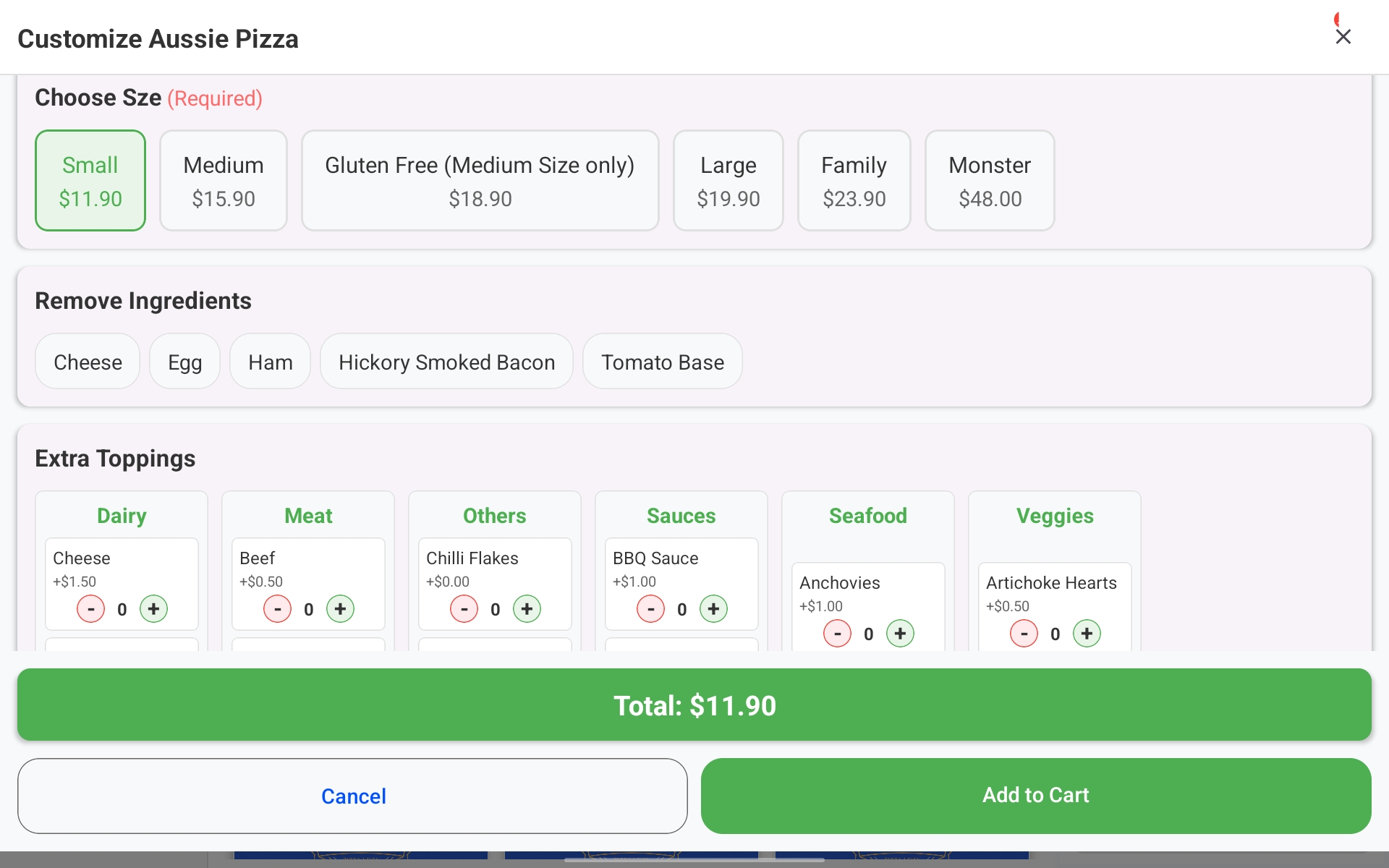
    Custom discounts on the fly, split payments across multiple cards, cash-and-card combos, partial payments, and staff meals. Built for how restaurants actually operate.
Swiple POS order customisation — choose size, remove ingredients, add extra toppings with running total
Intelligence

Real-Time Analytics and Smart Delivery

Make informed decisions with data, not guesses. And when deliveries come in, let Google handle the address work.

  • Reports & Real-Time Analytics
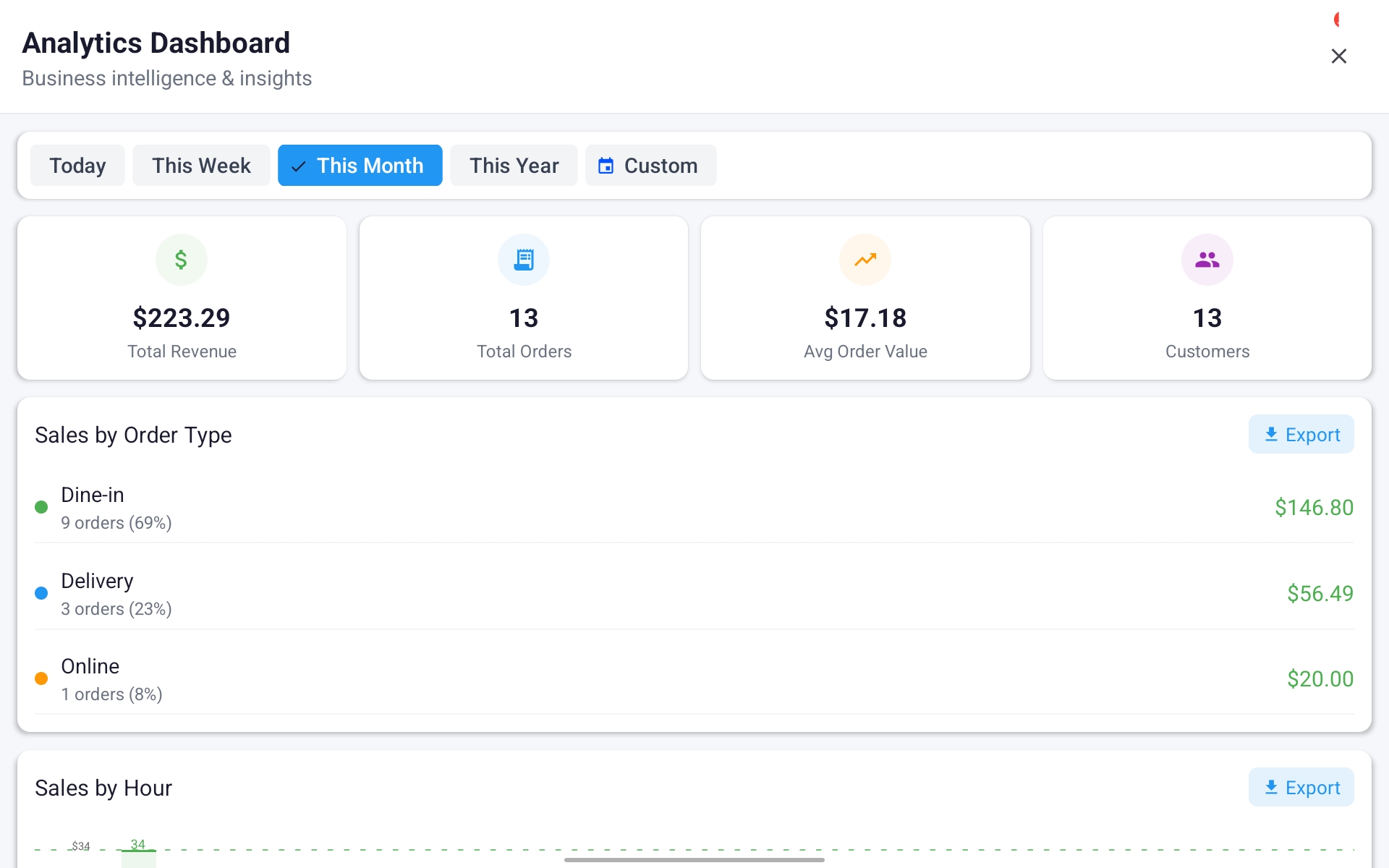
    Track sales by hour, day, week, or month. See your best-selling items, busiest periods, revenue by order type, and export data anytime.
  • Google APIs for Delivery
    Address autocomplete makes entry fast and error-free. Delivery fees calculate automatically based on distance, or set flat-rate pricing zones.
Swiple Analytics Dashboard showing total revenue, orders, average order value, and sales breakdown by type
Operations

Order Management That Keeps Up With You

Every order tracked from the moment it's placed to the moment it's out the door. Nothing falls through the cracks.

  • Live Order Tracking
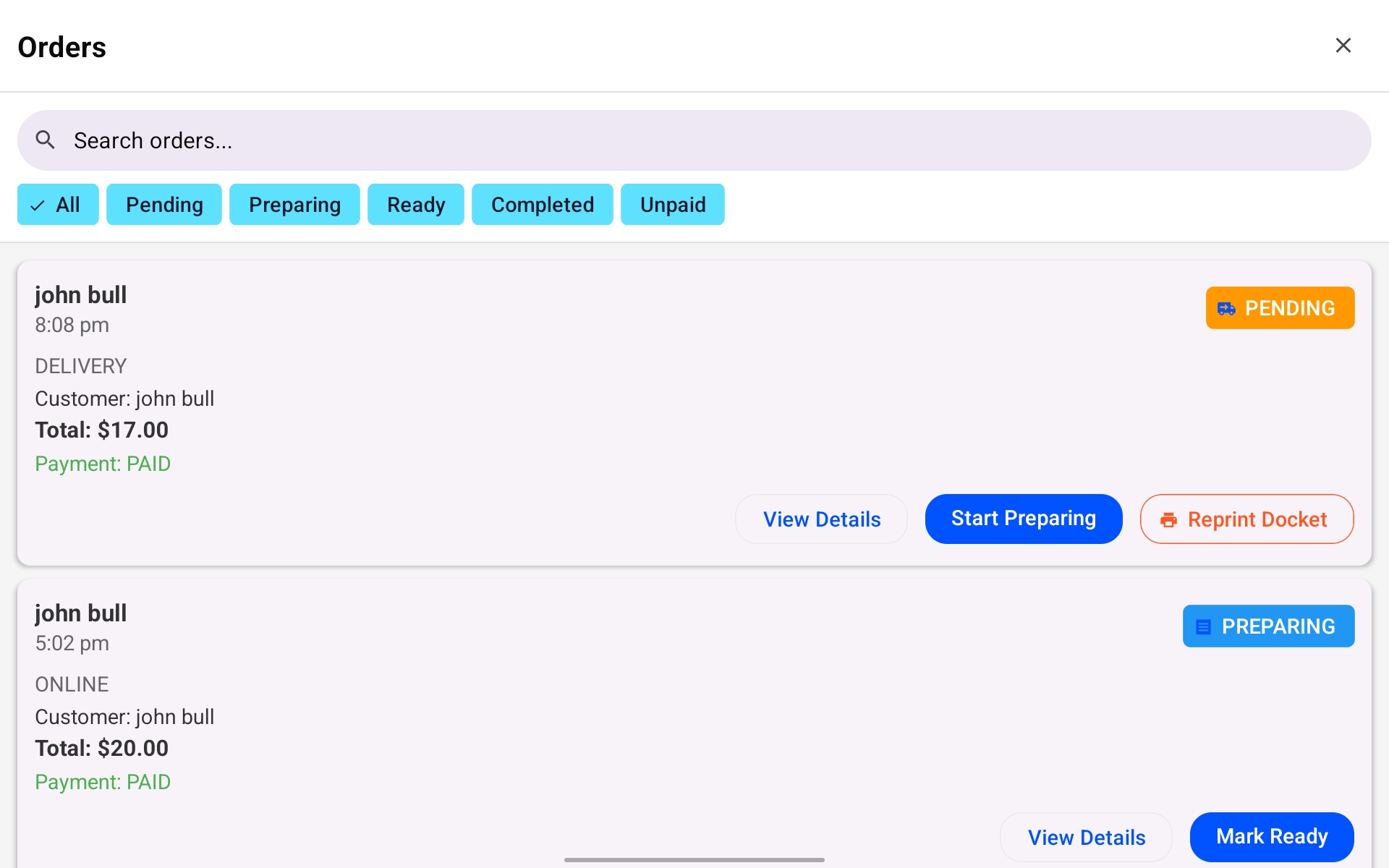
    Filter by Pending, Preparing, Ready, or Completed. Start preparing, mark ready, reprint dockets — all from one screen. Online and in-store orders unified.
  • Integrated Payment Terminal
    Connect directly to your payment terminal for seamless transactions. Support for wearable devices coming soon. DoorDash integration on the roadmap.
Swiple order management showing pending and preparing orders with action buttons

Online Ordering

Your own branded platform. Zero commissions. Full control.

Your Brand, Front & Centre

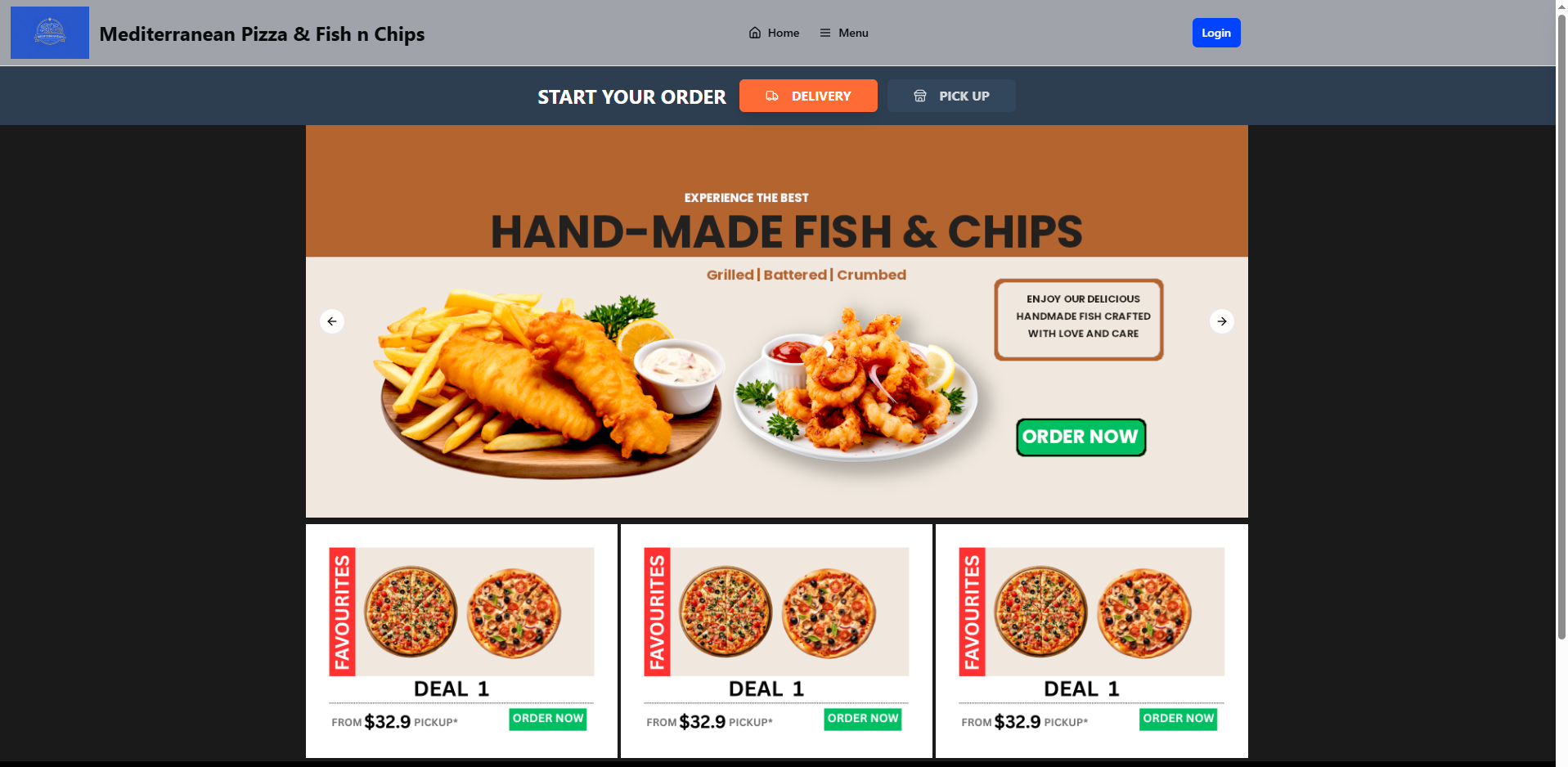
Custom Promotions and Eye-Catching Design

Your own branded ordering website that rivals the major platforms — with hero banners you control and a design your customers will love.

  • Custom Hero Banners
    Showcase daily specials, seasonal menus, or limited-time deals right on your homepage. Your promotions, your way — no middleman taking a cut.
  • Custom Domain & Subdomain
    Use your own domain or get a free yourbusiness.swiple.com.au address. Modern, responsive design that looks great on every device.
Swiple online ordering homepage with hero banner, promotions, and deals
Menu & Promotions

Full Menu with Categories and Promo Codes

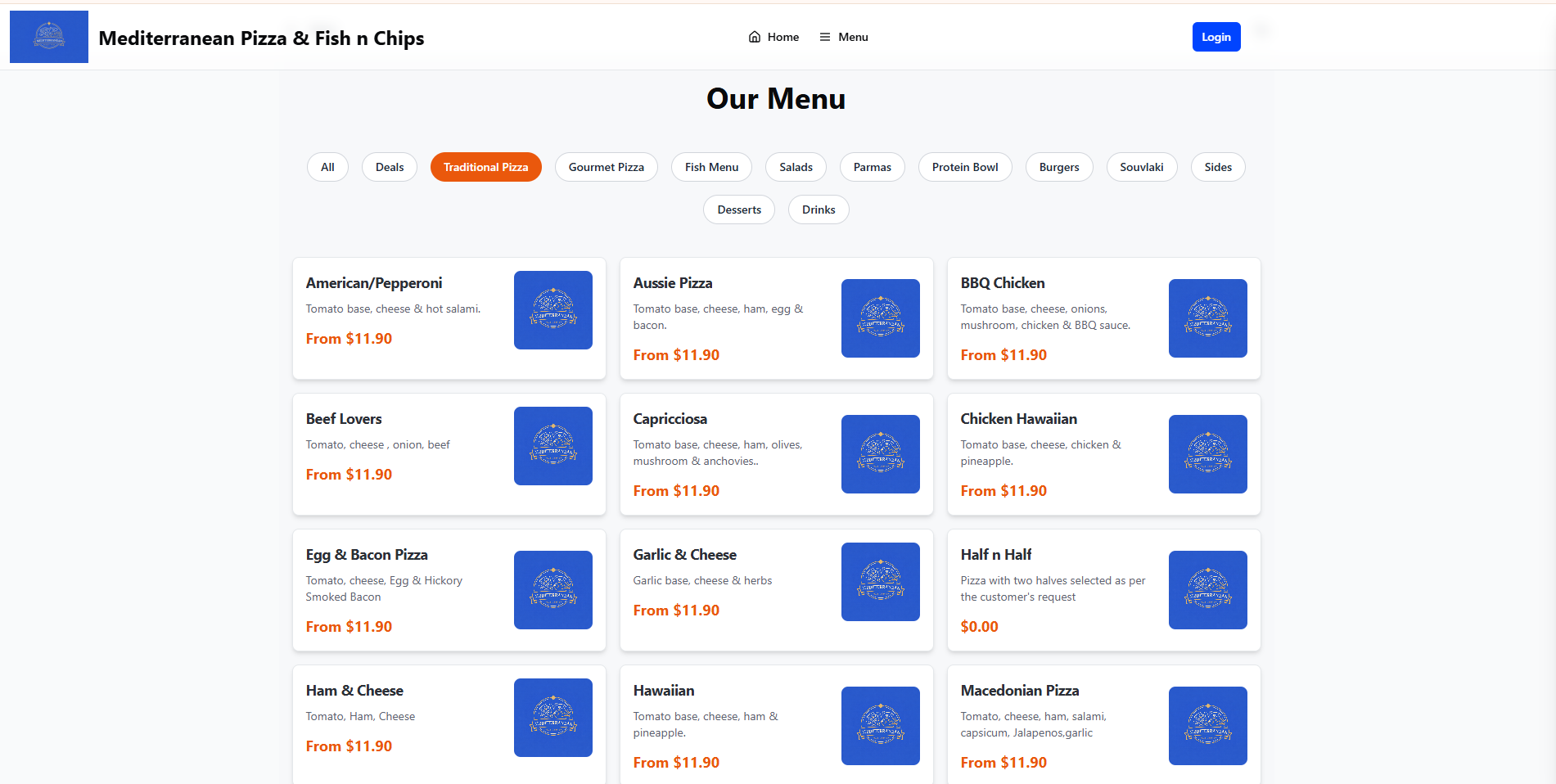
Customers browse your full menu organised by category. Drive repeat orders with promo codes that build loyalty.

  • Organised Menu Display
    Items grouped by category with photos, descriptions, and pricing. Customers can easily find and browse your entire offering.
  • Promo Codes
    Create promotional codes for discounts, free items, or special offers. Track which codes are being used and by whom to measure campaign performance.
Swiple online menu showing categories like Traditional Pizza, Gourmet Pizza, Fish Menu with prices
Customer Experience

Easy Customisation and Smart Delivery

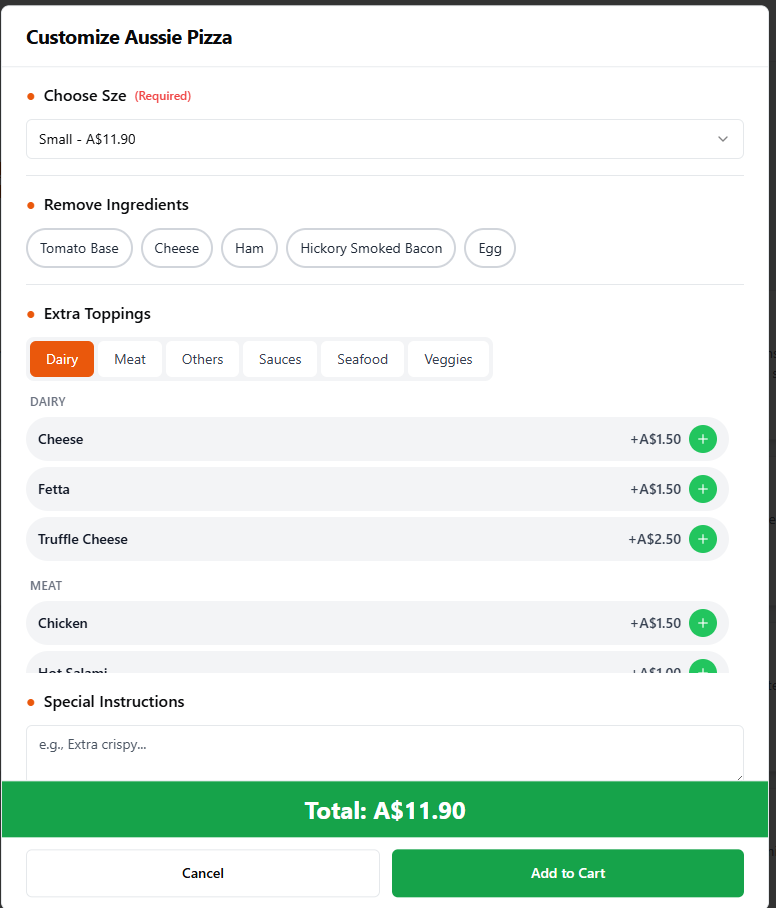
Customers can customise every item exactly how they want. Delivery fees are calculated automatically — fair for customers, profitable for you.

  • Full Item Customisation
    Choose size, remove ingredients, add extra toppings by category, and leave special instructions. The exact same flexibility as your in-store POS.
  • Smart Delivery Fee Calculation
    Powered by Google APIs, fees calculate based on the actual distance to the customer. Or set flat-rate zones for simplicity.
Swiple online ordering item customisation — choose size, remove ingredients, add toppings, special instructions
Checkout & Security

Frictionless Checkout with Bank-Level Security

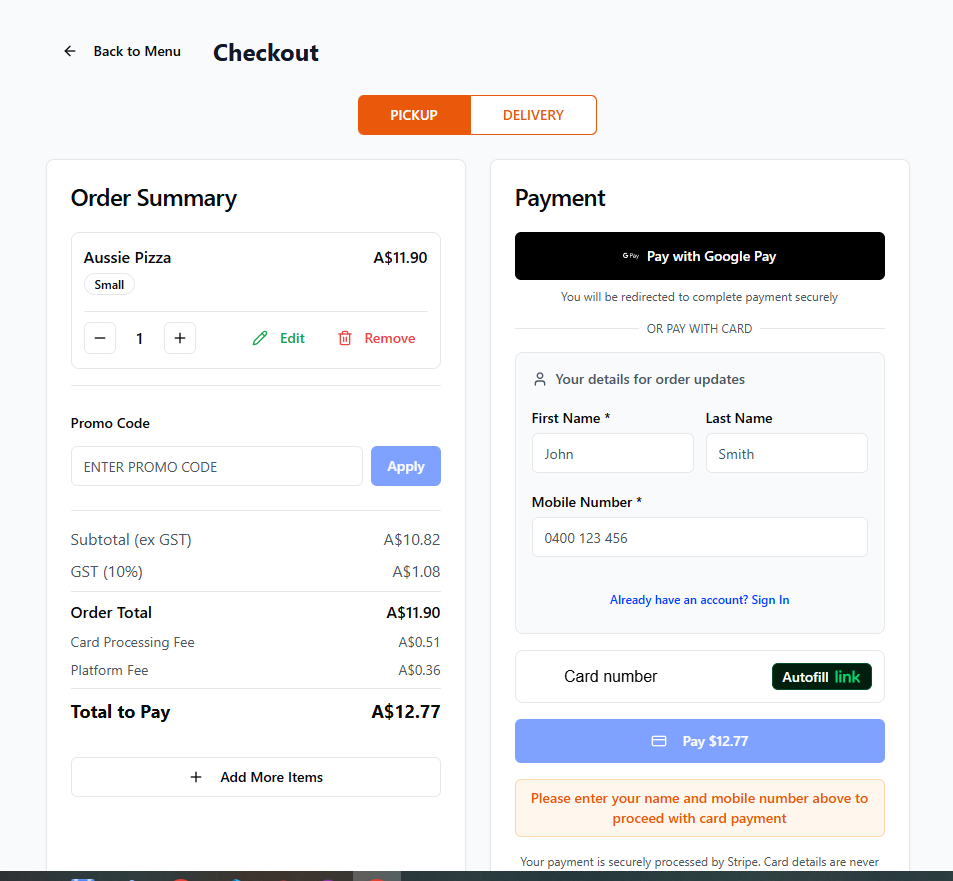
Customers pay with confidence via Stripe. No forced registration — just fast, secure checkout that captures the details you need.

  • Secure Payments via Stripe
    PCI-DSS compliant, encrypted transactions, fraud protection built in. Supports card payments and Google Pay. Your customers pay with confidence.
  • Simple Login or No Login
    Customers can log in with just their mobile number, or skip registration entirely with quick checkout. Capture essential contact details either way.
Swiple checkout page showing order summary, promo code input, Stripe payment, and quick checkout with mobile number

Ready to See It in Action?

Get in touch and we'll walk you through everything Swiple can do for your restaurant.

Get in Touch